> ## Documentation Index
> Fetch the complete documentation index at: https://docs.cyberwave.com/llms.txt
> Use this file to discover all available pages before exploring further.
# Develop with remote hardware
> Control a real SO101 robot arm live in our robotics lab from your browser. No setup, no hardware, no code.
Get hands-on with Cyberwave in under 2 minutes; no setup, no hardware, no code. Control a real SO101 robot arm live in our robotics lab from your browser.
## Steps
Create an account at [cyberwave.com](https://cyberwave.com) or [request
early access](https://cyberwave.com/request-early-access) if you don't have
one yet.
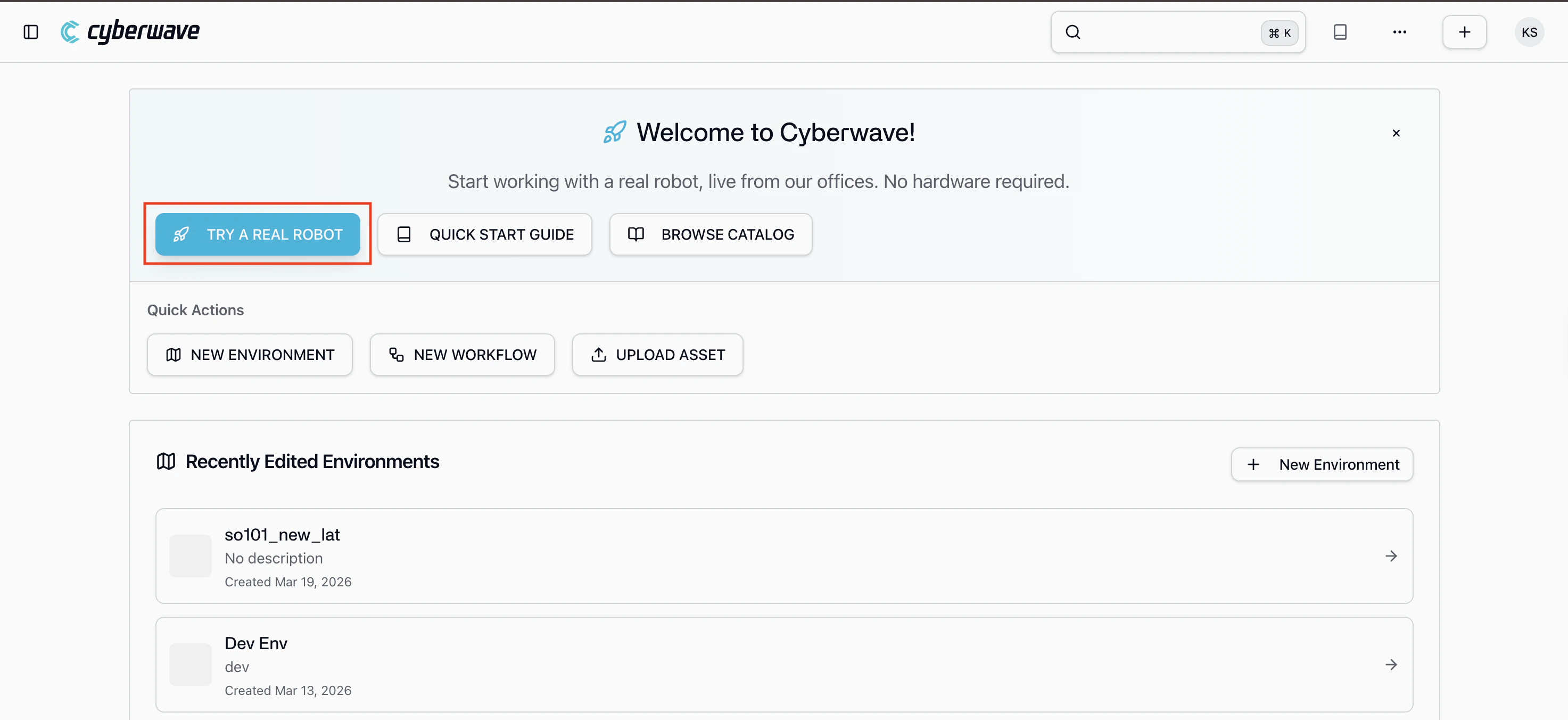
From the dashboard, click **Try a Real Robot**. You'll be connected to a
live SO101 robot arm with a camera in the Cyberwave robotics lab.
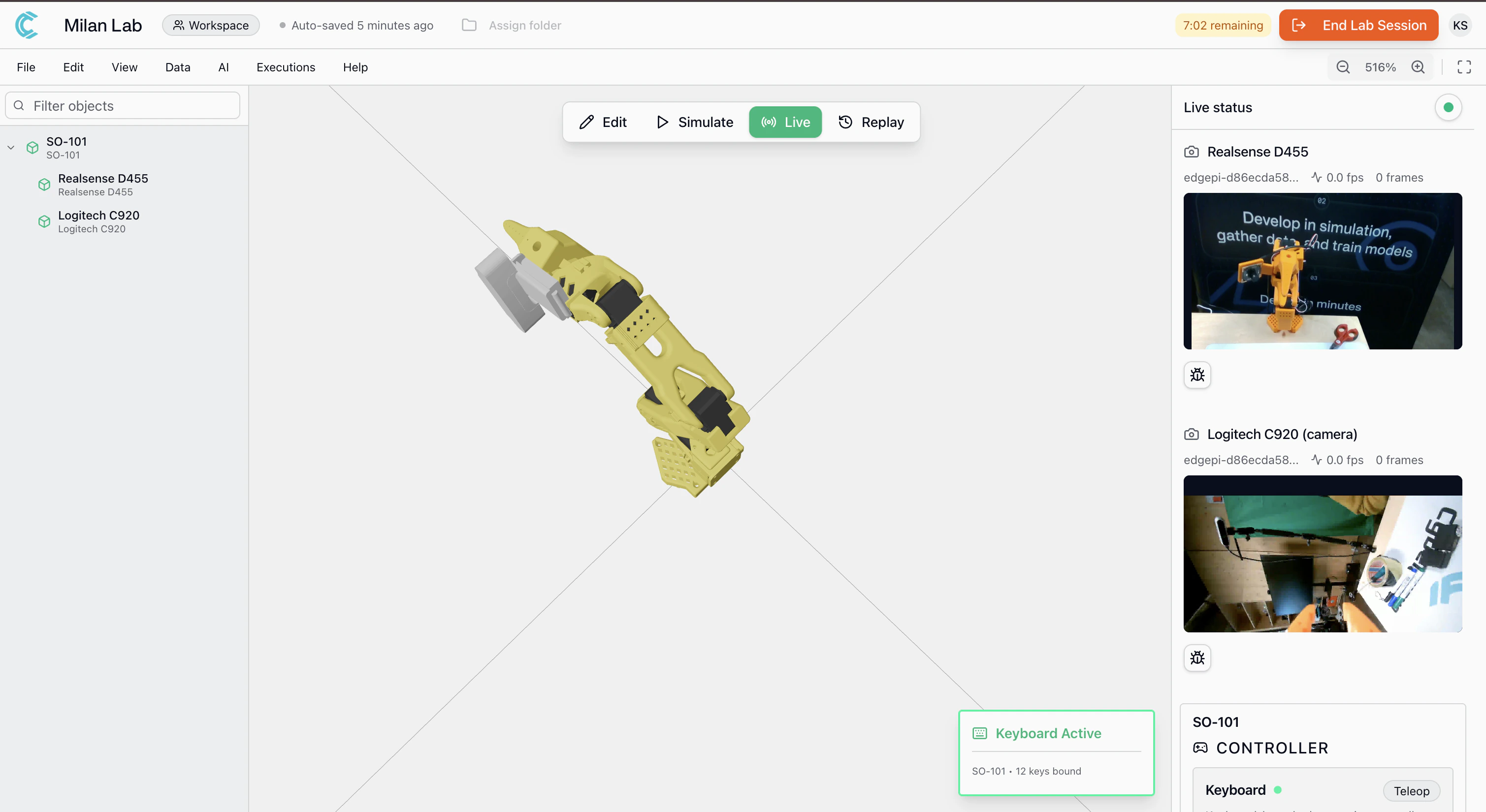
A **keyboard controller** is already assigned, start moving the arm
immediately in the **live mode** from your browser. You'll see the live
camera feed from the lab as you control the robot in real time.
**What's connected:**
The live demo environment has an SO101 robot arm with a camera mounted on the wrist, streaming directly from the Milan lab.
**What you can do:**
* **Control the arm**: a keyboard controller is pre-assigned, use it to move individual joints in real time
* **Watch the live camera feed**: see what the robot sees from the wrist-mounted camera in the Milan lab
* **Record datasets**: start a recording session to capture arm movements and camera footage, just like you would in your own setup
* **Want a specific use case?** [reach out to the team](mailto:info@cyberwave.com) and we can configure a custom demo for your needs
You're controlling a physical robot from your browser. Everything you see
here, joint control, camera streaming, dataset recording is the same
experience you get with your own hardware.
***
## Where to Go Next
Build your first environment and control a twin in simulation in under 5
minutes.
Go from zero to a working application using the SDK and real hardware.
See what you can build: manipulation, locomotion, perception, and
simulation.