Documentation Index
Fetch the complete documentation index at: https://docs.cyberwave.com/llms.txt
Use this file to discover all available pages before exploring further.
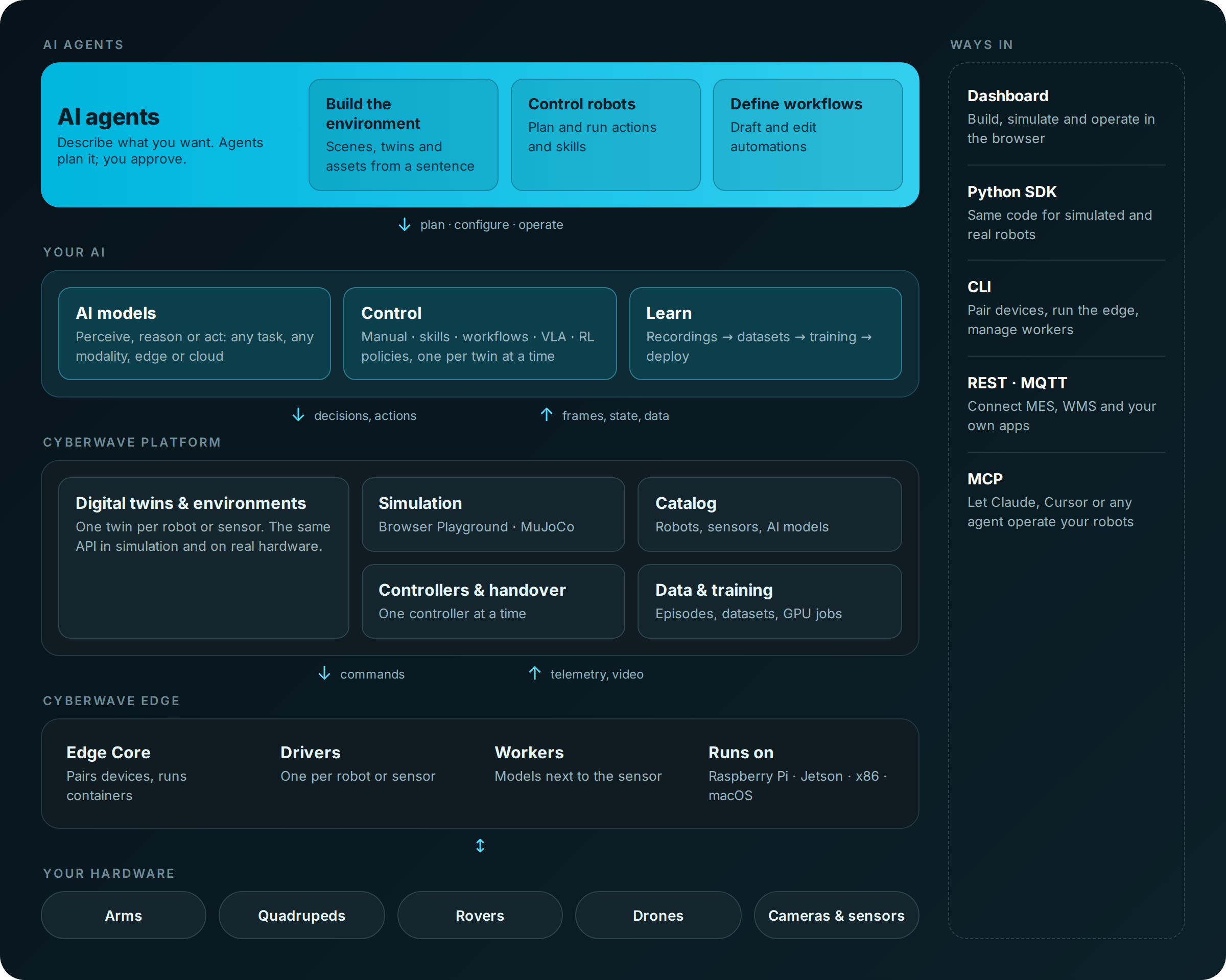
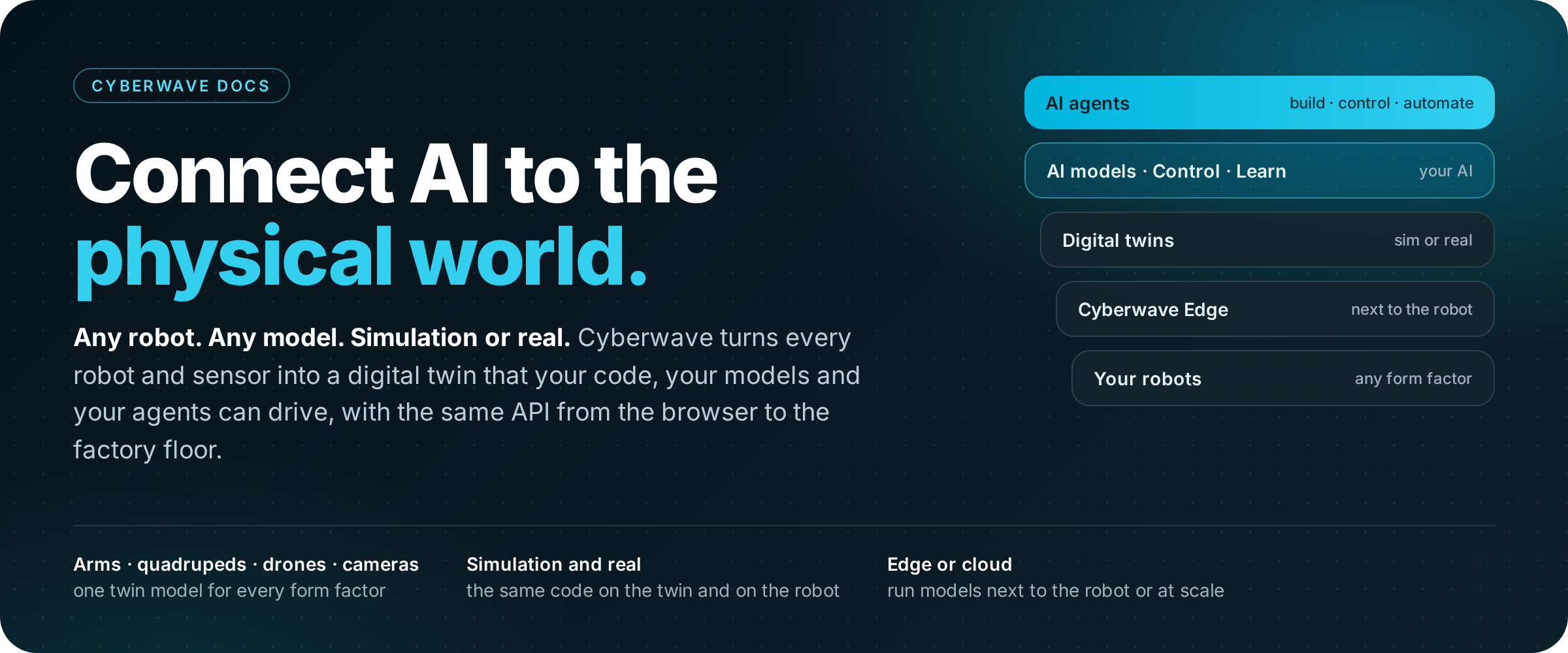
Cyberwave is the fastest way to make the world programmable. Connect any robot or sensor, build AI automations, train and run AI models for the physical world.
๐ฆพ Connect to more than 90+ robots using the same SDK
๐ฆพ Low code or full-code workflows to deploy AI in the world
๐ฆพ Works in the lab all the way to production. Built-in safety and human-takover
๐ฆพ Run models on edge or in the cloud seamlessly and without worrying about infra
Quick start
Cyberwave can be installed directly from PyPI.
pip install cyberwave
cyberwave --help
Important
For a complete installation guide with hardware, check out the complete guide
Now you can control any robot with simple Python code from your computer:
from cyberwave import Cyberwave
cw = Cyberwave()
drone = cw.twins("dji/dji-mini-4-pro")
drone.takeoff()
robot_dog = cw.twins("unitree/go2")
robot_dog.move_forward()
camera = cw.twins("camera")
camera.start_streaming()
arm = cw.twins("the-robot-studio/so101")
arm.set_joint("1", 30)
Cyberwave will take care of everything that is boring about robots:
๐ค Sends instructions from your computer (or the cloud) to the actual robot
๐ค Integrating different robotic APIs, dependecies, and so on
๐ค Recording, storing, and making sure your data is safe and ready for you to train models!
Develop using the simulation
Cyberwave drops your robot into a virtual environment so you can test it without touching real hardware. Two simulations are available out of the box:
๐งช Playground โ runs directly in your browser with lightweight physics. Great to sanity-check your code, demo a behaviour, or verify joint angles before going live.
๐งช MuJoCo โ full-fidelity, contact-rich physics. Use it for RL training, policy evaluation, and reproducible sim sweeps. Every environment exports to MuJoCo with one click.
Switch by hitting Simulate in your Cyberwave environment, or from code:
cw.affect("simulation") # commands now run against the virtual twin
cw.affect("live") # flip back to the physical robot
Same code, same SDK โ your robot just happens to be virtual.
Connect to a real robot
Then to connect to your real hardware you just need to:
# Optional: SSH into a Raspberry Pi or Nvidia Orin
ssh pi@cyberwave.local
# Install the CLI
curl -fsSL https://cyberwave.com/install.sh | bash
# Pair your digital twin with the real hardware
cyberwave pair
Thatโs it! Cyberwave will guide you in selecting the robot you want to pair, no other integration work needed.
You can check a complete guide on how to connect any hardware here.
Controllers
A controller is whatever is driving your twin right now. You can swap them in and out at any time:
๐ฎ Human controllers โ live takeover from the dashboard with a keyboard or gamepad. Great for demos, recovery, or kickstarting data collection.
๐ฎ Code controllers โ drive the robot from your own Python using the SDK.
๐ฎ AI controllers โ hand the wheel to a trained model (yours or one from the catalog), running on the edge or in the cloud.
Switch from the twin page in the dashboard, or from code:
robot = cw.twins("unitree/go2")
robot.use_controller("keyboard") # hand it back to a human at the dashboard
robot.use_controller("my-vla-policy") # let an AI model take over
Telemetry and recording keep running across switches, so a session can start with a human, hand off to a model, and end with a code controller โ all on the same twin.
Models & Datasets
Cyberwave makes โuse an AI model on this robotโ as boring as it should be:
๐ง 100+ models in the catalog โ vision, language, VLAs, segmentation, pose. Drop one onto any twin and go.
๐ง Edge, cloud, or both โ the same model runs wherever you point it. Thatโs where real robotic automation shines: a perception model on the edge, a planner in the cloud, all in the same workflow.
๐ง Bring your own โ register your fine-tuned checkpoints, or use Cyberwave to fine-tune open-source models on your own data.
model = cw.models.load("yolov8n") # straight from the catalog
my_model = cw.models.load("my-vla-v3") # your own checkpoint, same API
Datasets follow the same pattern โ register a LeRobot-format dataset (or a folder) with cw.datasets.add(...) and itโs ready to train on, visualise, or share.
Check the complete docs on models here
Collect data, train and run inference
Every twin is a data source the moment you start recording. Cyberwave handles the rest:
๐ฌ Scales itself โ automatic data collection thatโs happy in a one-arm lab and on a 24/7 production line. No buckets to manage, no schemas to maintain.
๐ฌ No lock-in โ datasets export and import in open formats (LeRobot, parquet, MP4). Delete your data any time, or just skip recording entirely.
๐ฌ Episode-first timeline โ slice runs into episodes from the dashboard, then fine-tune your own VLA or RL model on the result.
๐ฌ GDPR-ready โ built-in anonymisation (blur, pixelate, redact) on faces, plates, and any detected class. Cyberwave is proudly made in the EU.
Recordings flow straight into the catalogue above โ train on them in the cloud, evaluate in simulation, then deploy the result back to the same twin.
Check out a complete tutorial on fine-tuning your own VLA here
We build Cyberwave in the open. Come hang out:
๐ Discord โ chat with the team and other builders. The fastest place to ask a question, share what youโre working on, or get unstuck.
๐ Built with Cyberwave โ a showcase of community projects. Drop yours in too.
๐ GitHub โ every SDK, CLI, driver, and edge component lives in the open. PRs and issues welcome on any repo.
๐ Events & hackathons โ come build with us in person and get your hands on a real robot.