

This tutorial is the full hands-on path. For protocols and Docker topology, see Custom integrations. For what the SDK automates, see Writing compatible drivers — Python SDK drivers and BaseROS2Driver.
ursim_driver.py (~75 lines). No physical robot required.
Prerequisites
1. Create a Docker network
ursim, ros2_env).
2. Start UR Sim
- Program motion on the teach pendant
Joint data only changes while the arm moves. Before ROS or Cyberwave, record a short program:
- On the pendant page, open Program.
- Click Move to add a Move primitive.
- Add waypoints — start with all joints at 0, then any poses you want to simulate.
- Save the program (for example
test). - Open Run, load the program.
- Long-press Play to start execution.
- Watch motion under Installation (TCP visualization).
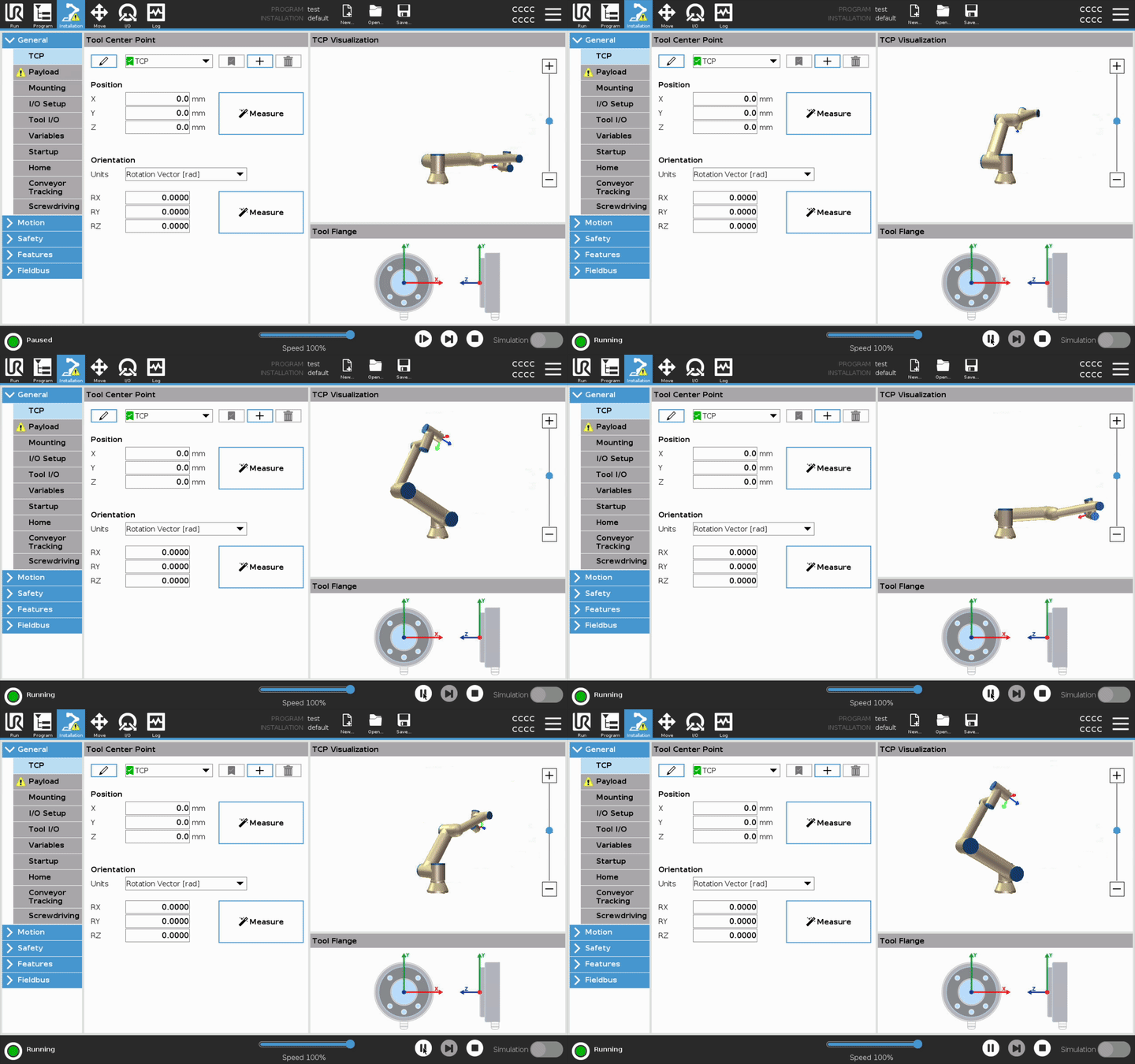
If
/joint_states is flat later, the arm is probably idle — run the program from Run first.4. Start ROS 2 with your repo mounted
5. Install dependencies (inside ros2_env)
6. Launch the UR ROS 2 driver (terminal 1)
Keep this shell open:docker exec shell):
7. Run the Cyberwave driver (terminal 2)
On the host:Expected result
- Terminal:
Connected to Cyberwave servers,ROS forward: /joint_states …,Cyberwave driver ACTIVE - Cyberwave UI: twin pose tracks the sim; Alerts shows driver lifecycle messages
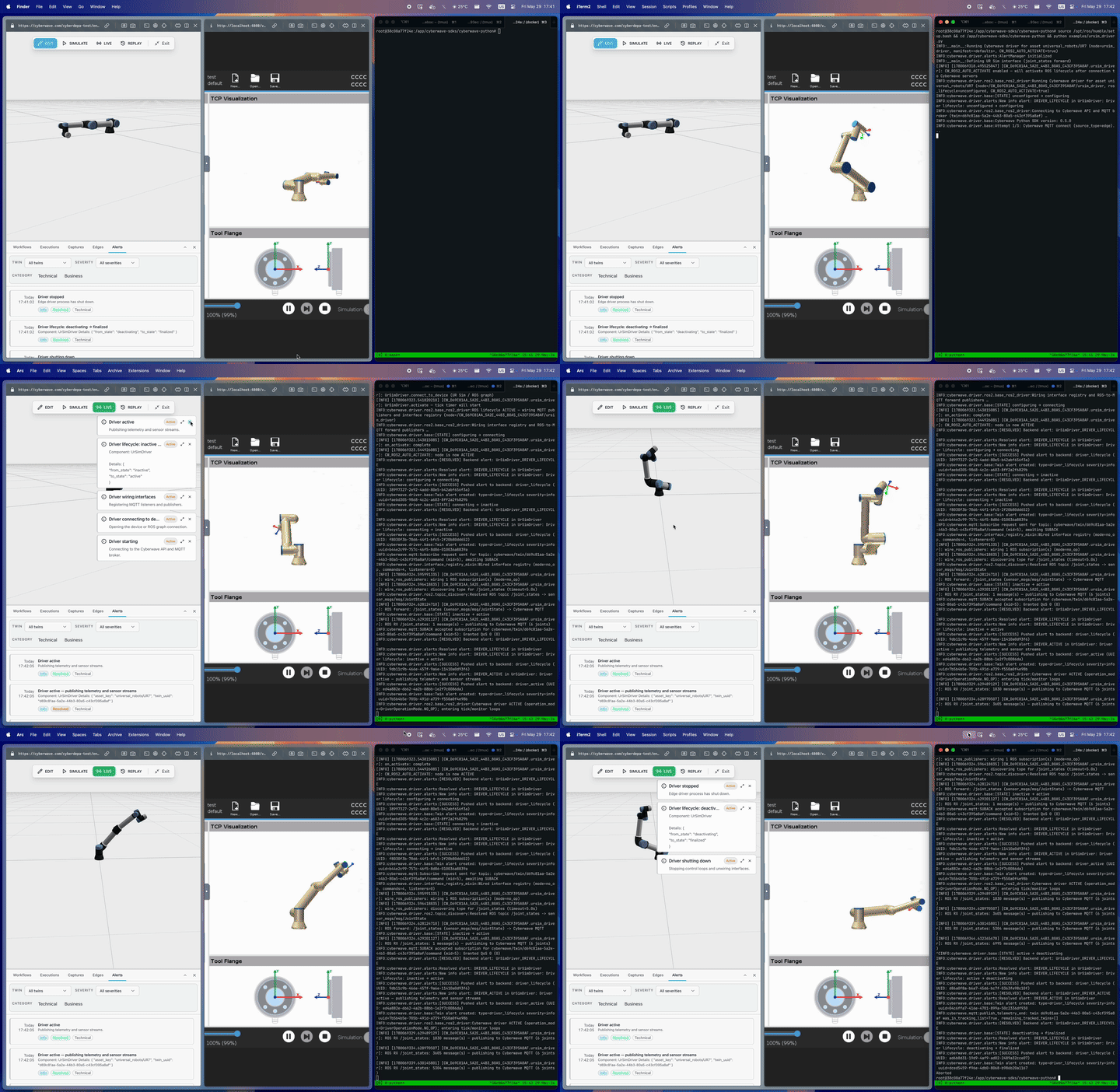
What you just ran
The example subclassesBaseROS2Driver and declares one from_ros publisher on /joint_states. The SDK handles Cyberwave connect, ROS lifecycle, JointState → MQTT serialization, and twin alerts.
Next steps
Fake IMU driver tutorial
No hardware — manifest, MQTT, and commands on a D455 twin.
Edge Core
Run the driver as a managed container on edge hardware.