

Get hands-on with Cyberwave in under 2 minutes; no setup, no hardware, no code. Control a real SO-101 robot arm live in our robotics lab from your browser.
Steps
1
Sign up for Cyberwave
Create an account at cyberwave.com or request
early access if you don’t have
one yet.
2
Click 'Try a Real Robot'
From the dashboard, click Try a Real Robot. You’ll be connected to a
live SO-101 robot arm with a camera in the Cyberwave robotics lab.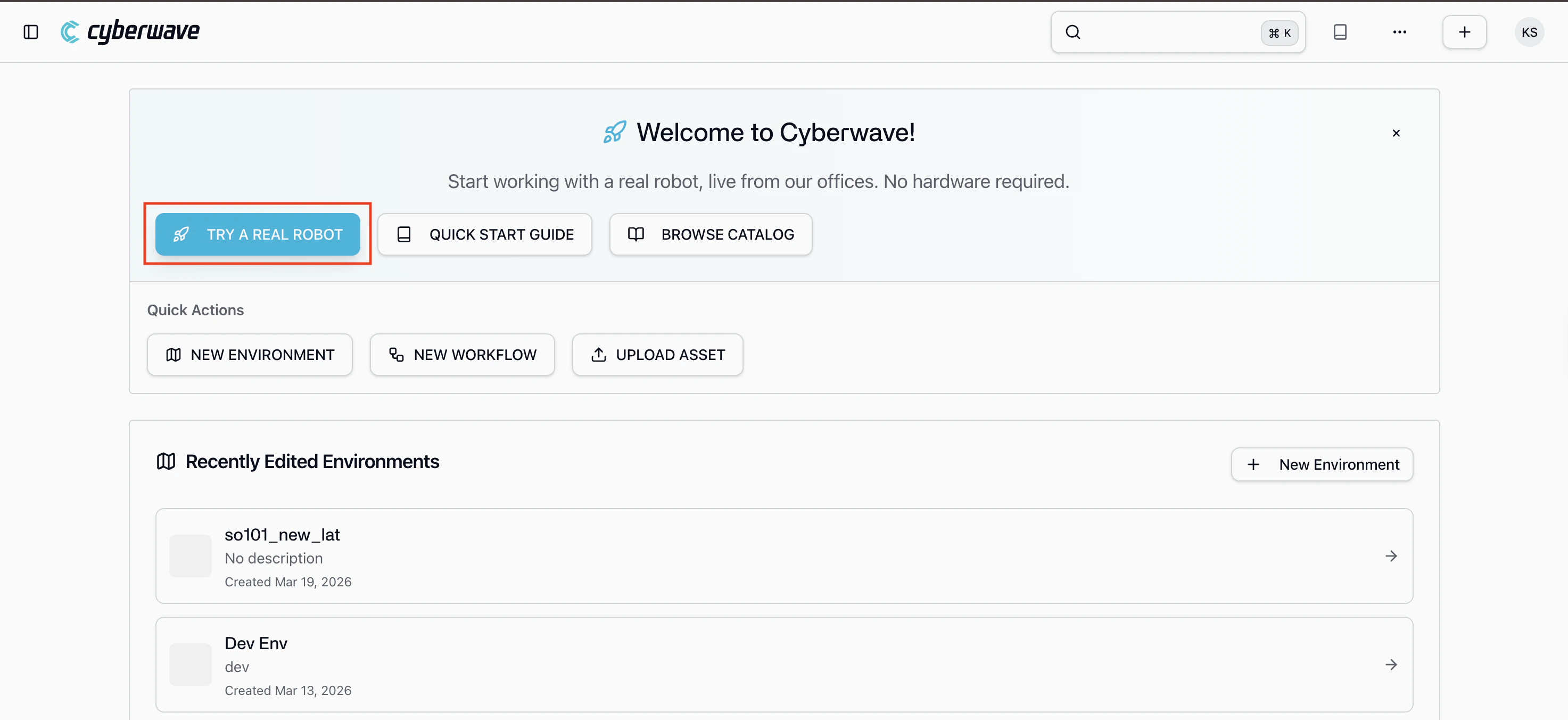
3
Control the robot (Switch to Live Mode)
A keyboard controller is already assigned, start moving the arm
immediately in the live mode from your browser. You’ll see the live
camera feed from the lab as you control the robot in real time.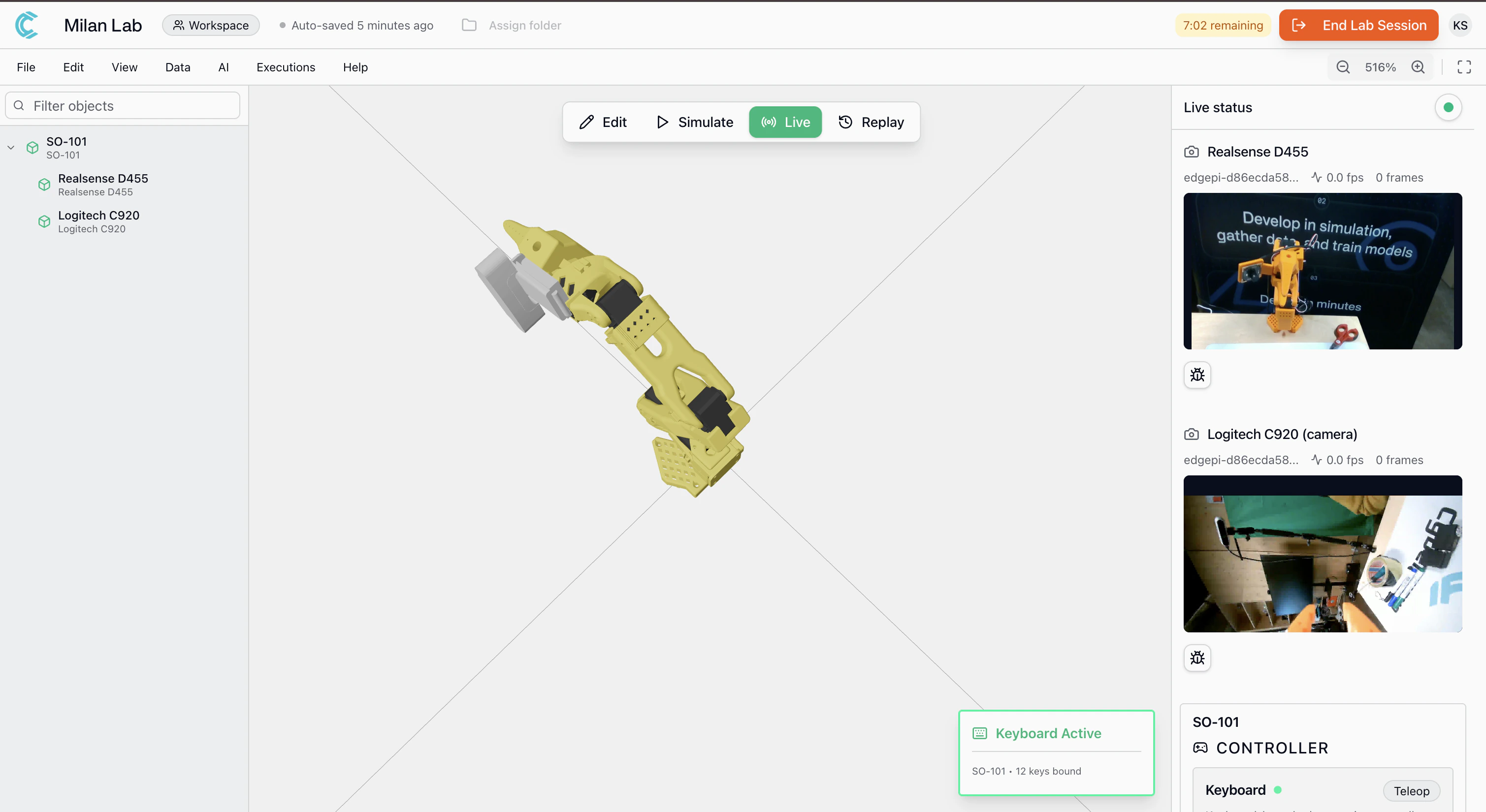
- Control the arm: a keyboard controller is pre-assigned, use it to move individual joints in real time
- Watch the live camera feed: see what the robot sees from the wrist-mounted camera in the Milan lab
- Record datasets: start a recording session to capture arm movements and camera footage, just like you would in your own setup
- Want a specific use case? reach out to the team and we can configure a custom demo for your needs
You’re controlling a physical robot from your browser. Everything you see
here, joint control, camera streaming, dataset recording is the same
experience you get with your own hardware.
Where to Go Next
Develop in simulation
Build your first environment and control a twin in simulation in under 5
minutes.
Python SDK
Go from zero to a working application using the SDK and real hardware.
Explore Capabilities
See what you can build: manipulation, locomotion, perception, and
simulation.