

- A custom asset created from your own URDF, visible in your workspace
- A live digital twin spawned from that asset inside an environment
- A working driver (a Docker container) that bridges your device’s native protocol to the twin
- Your hardware streaming telemetry and taking commands through the platform
What you’ll need
- Hardware
- Cyberwave account
- Dev tools
- The device you want to integrate (robot arm, mobile base, sensor, drone, anything with a controllable interface)
- Knowledge of its native interface: ROS 1 / ROS 2, VDA5050, OPC UA, Modbus TCP/RTU, gRPC, REST, or raw serial / USB
- An edge machine to run the driver on: a Raspberry Pi, a Jetson, the robot’s onboard computer, or even your Mac for local development
Step 1: Prepare your URDF package
Every twin starts from an asset, and every asset starts from a URDF: the 3D meshes and kinematic model that describe your hardware. Cyberwave accepts a single ZIP archive containing one main.urdf (or .xacro) file and every file it references.
Use relative paths inside the URDF that match your ZIP structure. If the
URDF references
meshes/arm_visual.obj, that file must exist at that path
inside the ZIP. Cyberwave unpacks and validates the archive after you create
the asset.Sample URDF
If you want a concrete reference, download this sample drone URDF (a DJI Mini 4 Pro) and open it alongside the steps below. It defines abase_link plus four propeller links connected by continuous joints, and references its meshes by relative path.
dji-mini-4-pro.zip
A complete single-file URDF (5 links, 4 continuous joints, materials, mesh references). Unzip to read it, add your
meshes/ folder, and re-zip to upload.The downloadable sample references its meshes with
package:// URIs (a ROS
convention). When you build your upload ZIP, switch those to relative paths
that match the archive (for example meshes/body.stl) and include the
referenced .stl files in a meshes/ folder.Step 2: Create the asset
Open the Upload URDF package wizard from the dashboard, then complete its three steps.1
Package: upload your ZIP
On the Package step, drag and drop your ZIP into the URDF Package
(ZIP) drop zone, or click to select it. Click Continue.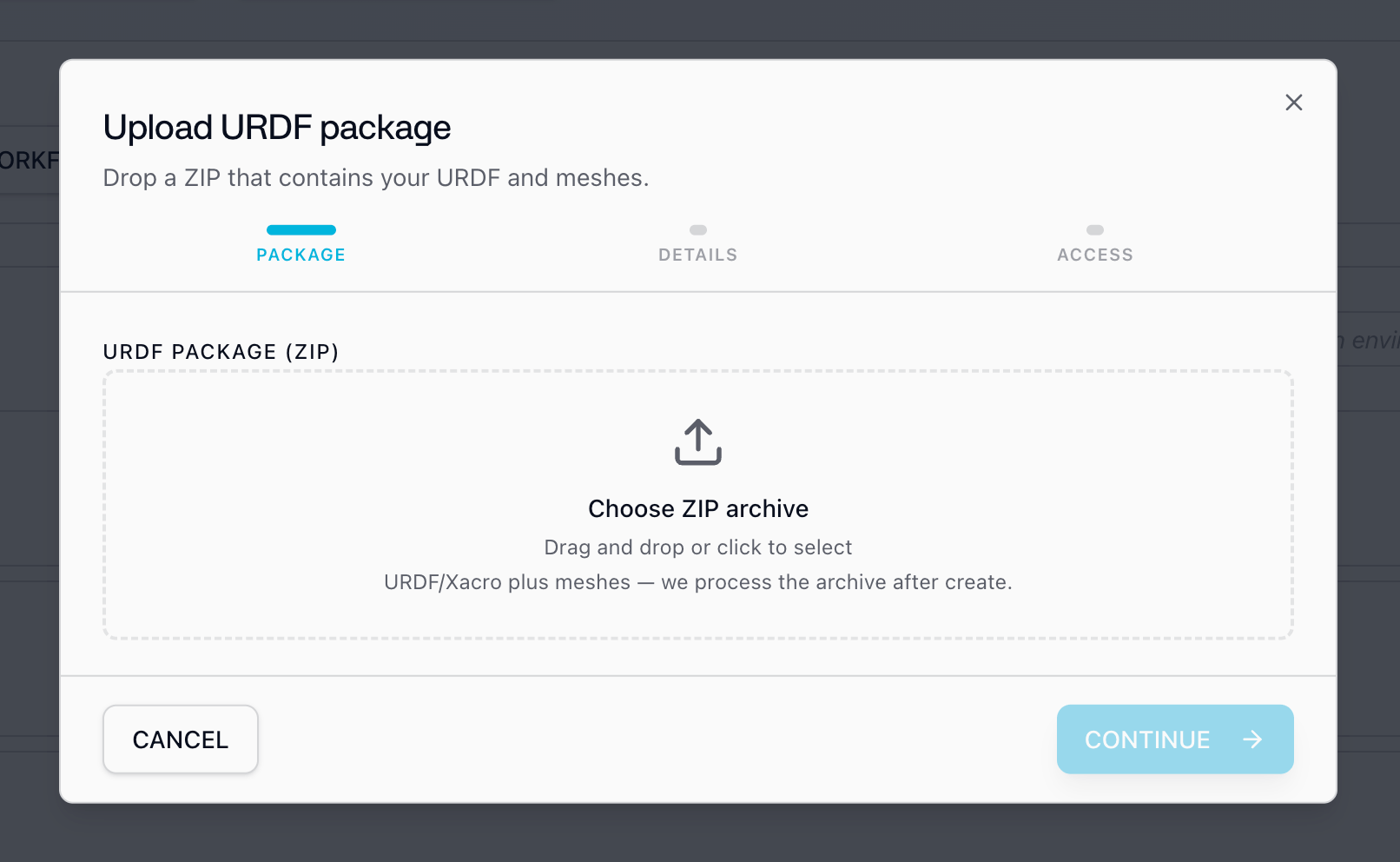
2
Details: describe your asset
Give the asset a clear name (for example, 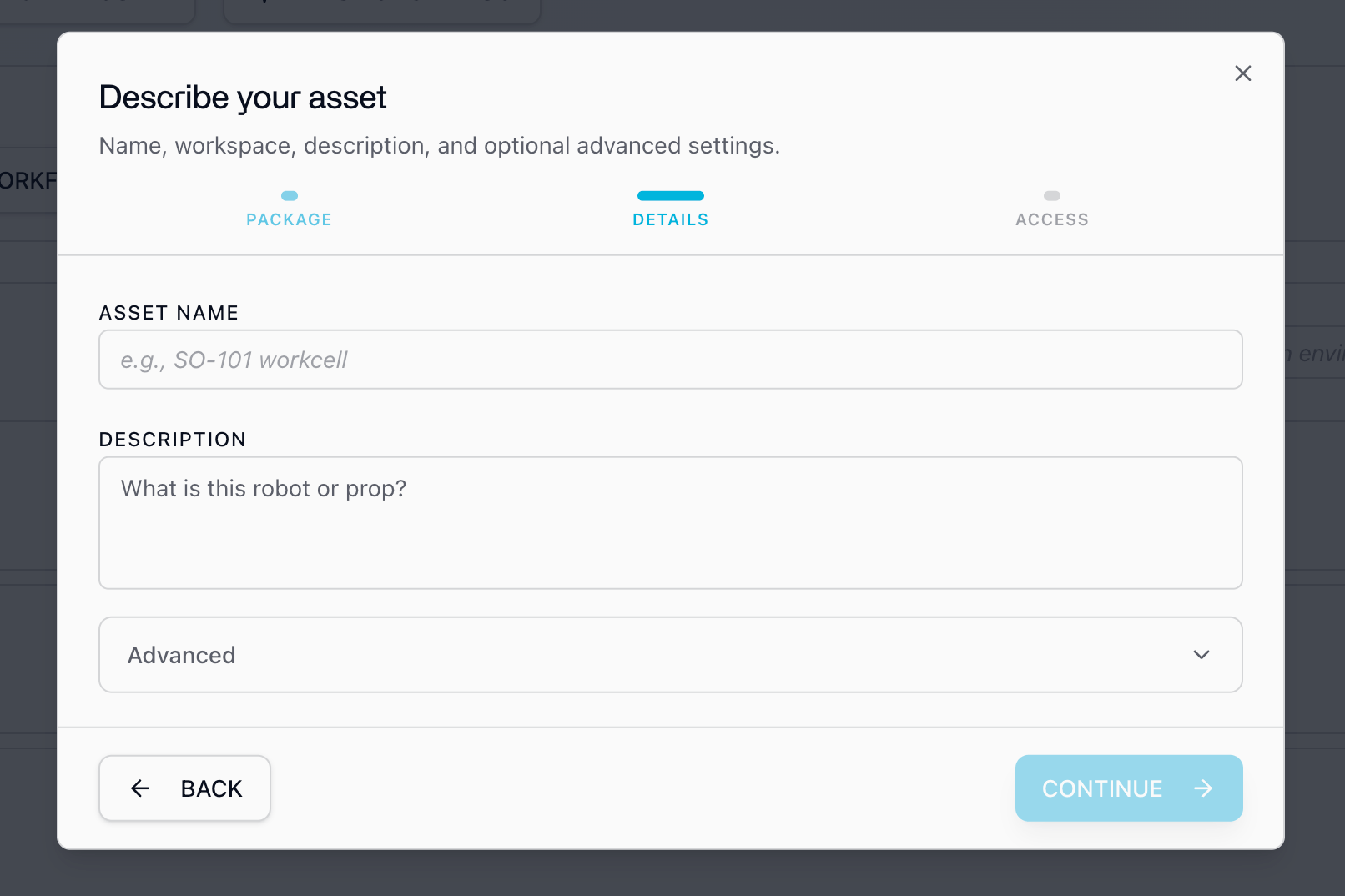
Acme Arm v1) and a short
description.-
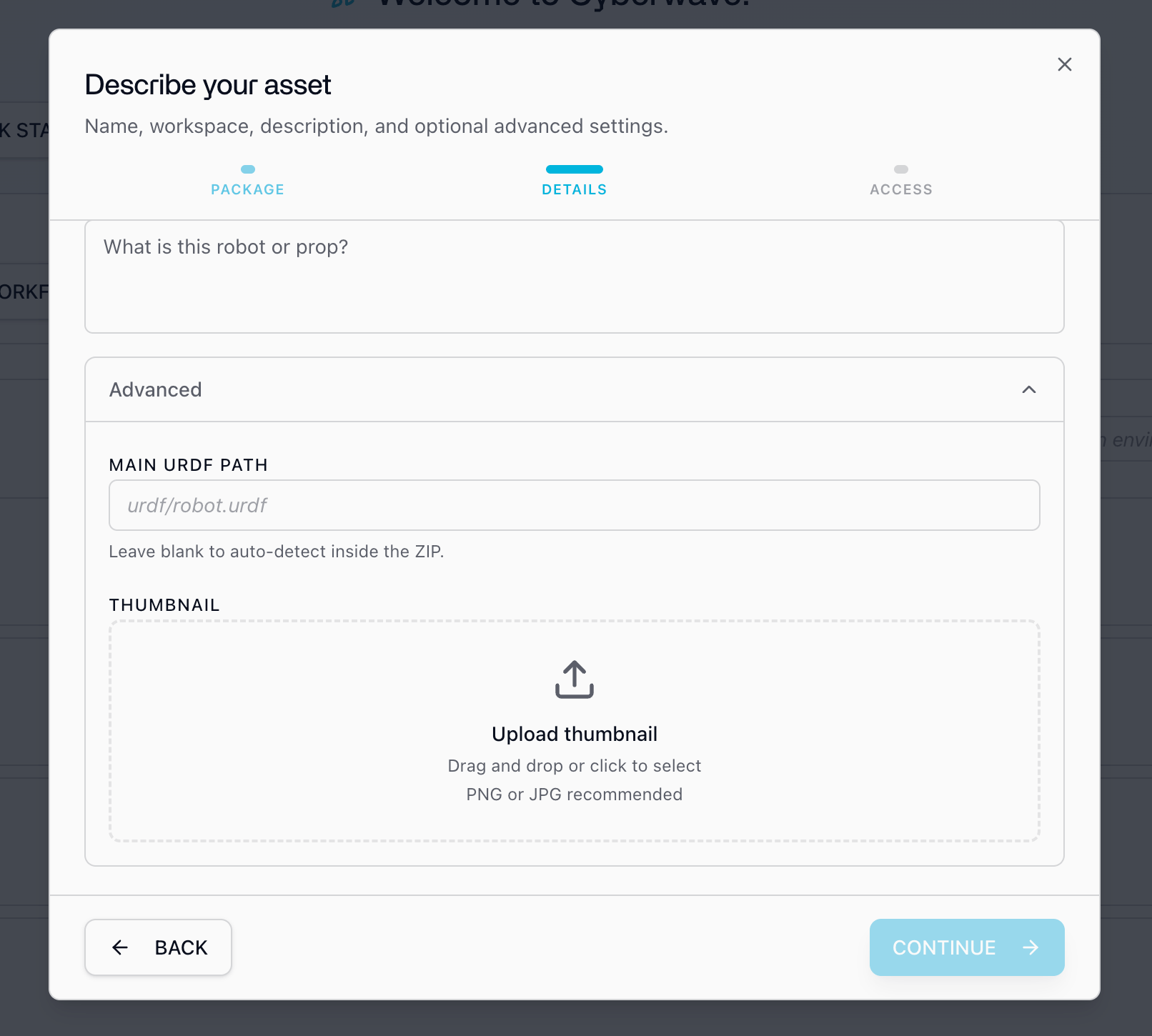
Main URDF path: the path to the main URDF inside the ZIP (for example,
urdf/robot.urdf). Leave it blank to auto-detect, and set it only when the ZIP contains more than one URDF. -
Thumbnail: an optional preview image (PNG or JPG) for the asset card.
3
Access: choose visibility and workspace
Choose who can see and use the asset, then pick the workspace it belongs to.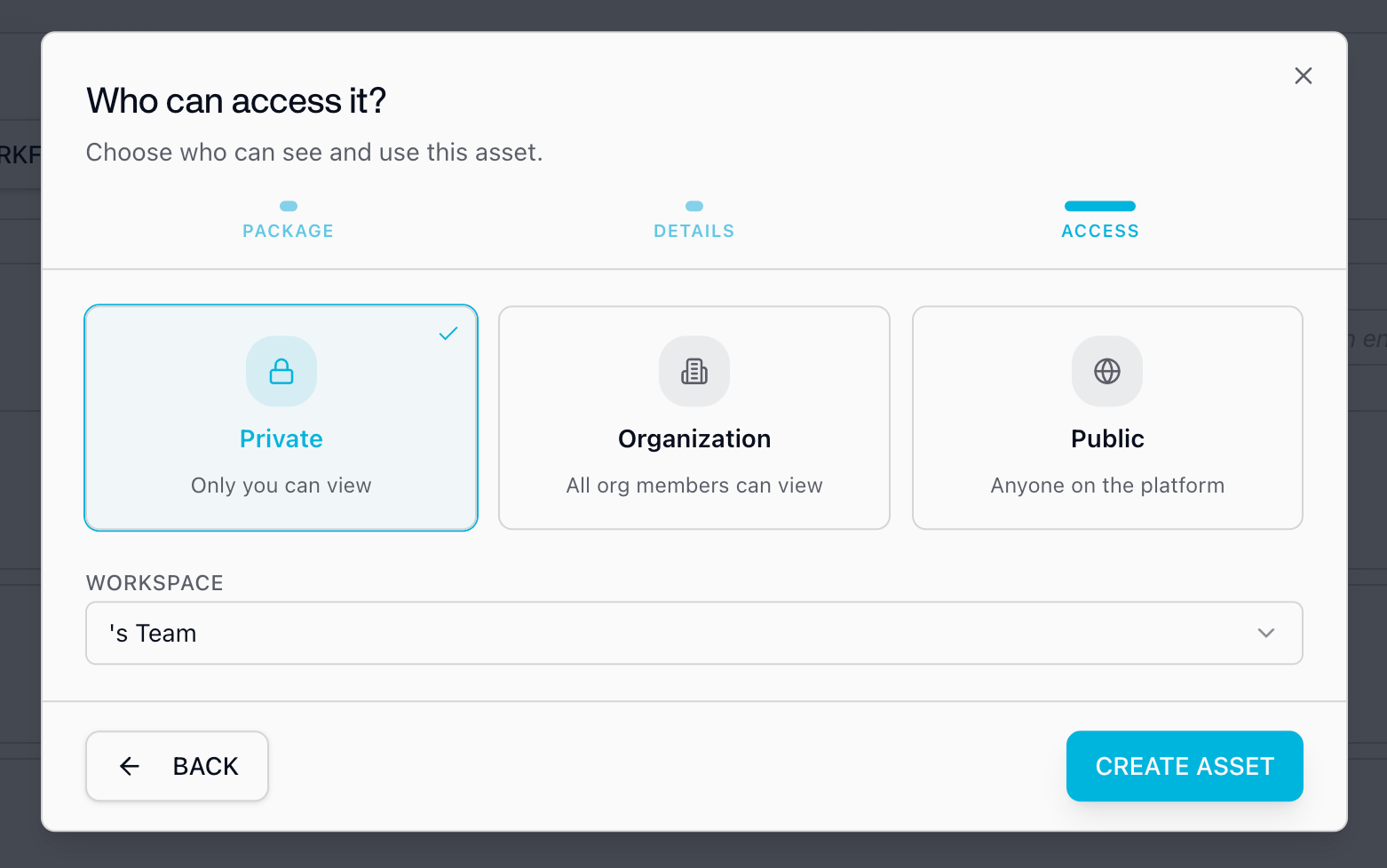
registry_id (or slug, for example acme-corp/acme-arm-v1). Your driver manifest will target this id in Step 5.
Create an Asset (full reference)
More detail on URDF packaging and the upload wizard, including the REST and SDK paths.
Step 3: Spawn a digital twin
An asset is a reusable definition. A twin is a live instance of it inside an environment.- In the dashboard, create a New Environment and give it a name like
Acme Arm Lab. - Click Add from Catalog in the left panel and search for the asset you just created (it appears in your workspace catalog).
- Add it and position it to roughly match where the real hardware sits.
You now have a custom asset and a twin spawned from it. Everything from here is
the driver: the bridge between this twin and your real hardware.
Step 4: Scaffold the driver
A driver is a Docker container that bridges your device’s native interface (ROS, serial, REST, gRPC, VDA5050, OPC UA, Modbus, or any other protocol) to Cyberwave’s MQTT layer. It publishes telemetry (joint states, odometry, camera frames, sensor data) up to the twin and turns dashboard, SDK, and workflow commands into actions on the device. Pick one of these starting points:- AI driver skill
- Official SDK
- Fork a reference driver
The Cyberwave Driver skill for Claude Code
asks a few questions about your hardware and scaffolds a driver project: the
Dockerfile, local dev setup, Then in any Claude Code session:The skill source is open source at cyberwave-os/driver-skill.
cw-driver.yml, and a working twin connection.Install the skill:Writing Compatible Drivers (full guide)
The complete container contract, environment variables, MQTT catalog, and packaging.
Step 5: Declare your interface with cw-driver.yml
Add a cw-driver.yml at your driver repo root, next to the Dockerfile. This file is the contract between your hardware bridge, the platform APIs, the web UI, and the SDK. It lists which MQTT topics you use and which command strings you accept, so teleop overlays, SDK methods, and agents all line up with what the hardware actually does.
Point registry_ids at the asset you created in Step 2, then declare the topics and commands your code will handle:
mqtt.joint.update becomes cyberwave/joint/{twin_uuid}/update, and mqtt.twin.command becomes cyberwave/twin/{twin_uuid}/command.
Only declare what you actually implement. Arm / joint-bus drivers should omit
the WebRTC topics; camera video flows through child camera twins and the media
service, not WebRTC topics on the arm twin.
Step 6: Implement the hardware bridge
Now wire your device’s native protocol to those topics. Edge Core injects these environment variables when it runs your container, so you can assume they’re always set:
A driver does two things: subscribe to commands and turn them into hardware actions, and publish telemetry and state back up to the twin. The Python SDK gives you helpers for both:
cw.data.publish(...) makes the data available to local worker containers and ML models with zero network overhead. Canonical channels include joint_states, frames/default, position, imu, and battery. You can also publish over MQTT directly for cloud consumers (frontend, telemetry, workflows).
Sensor data, MQTT topics & payloads
The complete list of MQTT topics and payload schemas: joint states, navigation, telemetry, and more.
Step 7: Register the manifest on your twin
Oncecw-driver.yml is written, register it on your twin with the Python SDK. This compiles the YAML, persists it on the twin’s metadata, refreshes the catalog cache, and binds catalog-derived command methods on twin.commands.
set_schema whenever you change the manifest so teleop, agents, and SDK callers stay aligned with your driver.
set_schema updates this twin’s metadata, so you can iterate without
changing a shared asset definition. When the driver is solid, you can apply the
same metadata.mqtt to the asset so every new twin inherits it.Step 8: Run the driver
Package the driver as a Docker image and run it. For local development, run it yourself with the same environment variables Edge Core uses:cyberwave edge logs.
Open the environment from Step 3. Your twin should show an online presence
indicator, with joint states or telemetry updating live as the real hardware
moves. If it doesn’t, check
cyberwave edge logs and confirm the driver isn’t
exiting on a hardware-access error.Step 9: Use the platform features
With an asset and a driver registered, your twin exposes the same platform features as any catalog device. The same MQTT topics and command surface drive all of them:Workflows
Chain perception, models, and motion into repeatable automations, low-code or in Python.
Replay & recording
Record episodes, scrub the timeline, and export datasets for training and review.
Teleoperation & remote takeover
Drive your hardware from anywhere and take over from an AI policy with one click.
Controllers & models
Assign keyboard, teleop, or trained AI policies as the controller for your twin.
Simulation
Validate behavior against the digital twin before it ever touches real hardware.
Digital twin
A live, synced virtual mirror of your hardware that the whole platform builds on.
Where to go next
Custom Integrations overview
The reference overview for bringing your own hardware, plus open-source drivers.
Writing Compatible Drivers
The full driver contract: env vars, MQTT catalog, sensor output, and packaging.
Create an Asset
Everything about preparing a URDF and creating an asset.
Cyberwave Edge
How Edge Core runs and manages your driver in production.